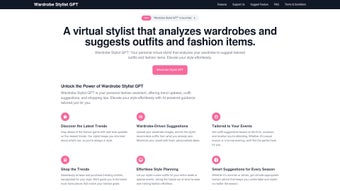

Download Wardrobe Stylist GPT – AI‑Powered Personal Fashion Assistant
Overview
Wardrobe Stylist GPT is a cutting‑edge web‑based application that brings the expertise of a professional fashion consultant right to your browser. Powered by Generative Pre‑trained Transformer (GPT) technology, the tool learns your personal style, body shape, color preferences, and even the climate of your region to generate outfit suggestions that feel both authentic and on‑trend. The platform is designed for anyone who wants to look polished without spending hours scrolling through endless feeds or consulting pricey stylists.
By simply entering key details—such as the occasion, preferred palette, and items already in your closet—Wardrobe Stylist GPT instantly produces curated looks, complete with accessories, footwear, and styling tips. Because it runs entirely in the cloud, you benefit from continuous updates that reflect the latest runway collections, street‑style movements, and seasonal shifts. The user‑friendly interface requires only a modern browser with JavaScript enabled, making it accessible on Windows, macOS, Android, and iOS devices.
Whether you’re a busy professional needing a quick office outfit, a college student looking for campus‑ready ensembles, or a fashion‑savvy individual eager to experiment with new trends, Wardrobe Stylist GPT streamlines the decision‑making process, saves money by maximizing existing wardrobe pieces, and boosts confidence through personalized styling.
Key Features
- AI‑Driven Outfit Generation: Real‑time recommendations based on your inputs and current fashion trends.
- Style Profile Builder: Create a detailed personal style questionnaire that the system uses to tailor suggestions.
- Wardrobe Integration: Upload photos of your existing clothes to let the AI mix and match with items you already own.
- Occasion‑Specific Filters: Choose from categories such as business, casual, party, travel, or seasonal events.
- Color & Fabric Analysis: The tool evaluates color harmony and fabric suitability for comfort and climate.
- Trend Alerts: Receive notifications when a new trend aligns with your style profile.
- Save & Share Looks: Export outfit boards as images or share directly to social media platforms.
- Multi‑Device Sync: Access your style profile and saved outfits from any device with an internet connection.
- Secure Data Handling: All personal data is encrypted and never sold to third parties.
- Continuous Learning: The AI improves over time, adapting to your feedback on liked or disliked suggestions.
Installation & Usage Instructions
Getting Started
Because Wardrobe Stylist GPT is a web application, there is no traditional download or installation process. Simply open your preferred browser—Chrome, Edge, Firefox, Safari, or any Chromium‑based mobile browser—and navigate to the official website wardrobestylistgpt.com. Ensure that JavaScript is enabled; the platform will prompt you if it detects that JavaScript is disabled.
Creating Your Style Profile
Upon first launch, you’ll be guided through a quick questionnaire that asks about your body measurements, preferred colors, style icons, and typical occasions. The questionnaire also invites you to upload up to ten images of your current wardrobe. These images help the AI understand the cuts, textures, and patterns you already own, allowing it to create mix‑and‑match suggestions that maximize what you have.
Generating an Outfit
To receive a recommendation, select the “Create Outfit” button, then specify the occasion (e.g., “office meeting”), weather conditions, and any specific items you’d like to feature (e.g., “must wear my navy blazer”). Within seconds, the AI will display a full look, complete with clothing pieces, shoes, accessories, and a brief styling note that explains why the combination works. You can fine‑tune the suggestion by swapping individual items or adjusting the color palette.
Saving & Exporting
When you find a look you love, click “Save to My Closet.” Saved outfits appear in a personal gallery where you can add notes, tag them for future reference, or download them as a high‑resolution image for offline use. The platform also offers a one‑click share feature for Instagram, Pinterest, or a private link you can send to friends for feedback.
Updates & Support
Wardrobe Stylist GPT is continuously updated on the server side, meaning you always benefit from the latest AI model improvements and fashion data without any manual action. For support, click the “Help” icon in the lower‑right corner to access a live chat with the support team or browse the knowledge base.
Compatibility
The application runs flawlessly on the following operating systems and devices:
- Windows 10, 11 (any modern browser)
- macOS Catalina and later
- iOS 13+ (Safari or Chrome)
- Android 9+ (Chrome, Firefox, or Edge)
Because it is cloud‑based, there is no need for separate desktop or mobile apps, and performance remains consistent across platforms.
Pros & Cons
Pros
- Instant, personalized outfit recommendations.
- No need to purchase additional software—works directly in the browser.
- Leverages AI that stays up‑to‑date with global fashion trends.
- Secure handling of personal style data.
- Multi‑device access and cloud‑based storage of saved looks.
- Free basic tier with optional premium features for deeper analytics.
Cons
- Requires a stable internet connection; offline use is not possible.
- Initial questionnaire can feel lengthy for users seeking a quick fix.
- Premium tier needed for advanced features like bulk wardrobe uploads.
- AI suggestions may occasionally miss niche sub‑styles that only a human expert would catch.
Frequently Asked Questions
Is Wardrobe Stylist GPT completely free?
The core functionality—creating daily outfits and accessing basic style recommendations—is free. A premium subscription unlocks advanced features such as unlimited wardrobe uploads, detailed trend analysis, and priority support.
Do I need to create an account?
Yes, an account is required to save your style profile and saved outfits. Account creation is quick and can be completed using an email address or social login (Google or Apple).
Can I use Wardrobe Stylist GPT on my phone?
Absolutely. The web app is fully responsive and works on iOS and Android browsers. All features available on desktop are accessible on mobile, including wardrobe uploads and outfit sharing.
How does the AI protect my personal data?
All user data is encrypted in transit (HTTPS) and at rest. Wardrobe Stylist GPT follows GDPR‑compliant practices and does not sell or share personal styling information with third parties.
What if I don’t like a suggested outfit?
You can provide instant feedback by clicking the “thumbs down” icon on any recommendation. The AI uses this input to refine future suggestions, learning your preferences more accurately over time.
Final Verdict & Call to Action
Wardrobe Stylist GPT bridges the gap between high‑fashion expertise and everyday convenience. Its AI engine delivers fast, personalized looks while respecting the pieces you already own, making it a sustainable choice for the modern consumer. The free tier offers enough functionality for casual users, while the premium upgrade provides deeper analytics for style enthusiasts. Although it requires an internet connection and a brief onboarding questionnaire, the trade‑off is a consistently fresh wardrobe that evolves with your taste. If you’re ready to simplify your morning routine, reduce decision fatigue, and experiment with trend‑forward outfits without a hefty price tag, click the button below to start your style journey.
Start Styling for Free


.png)



